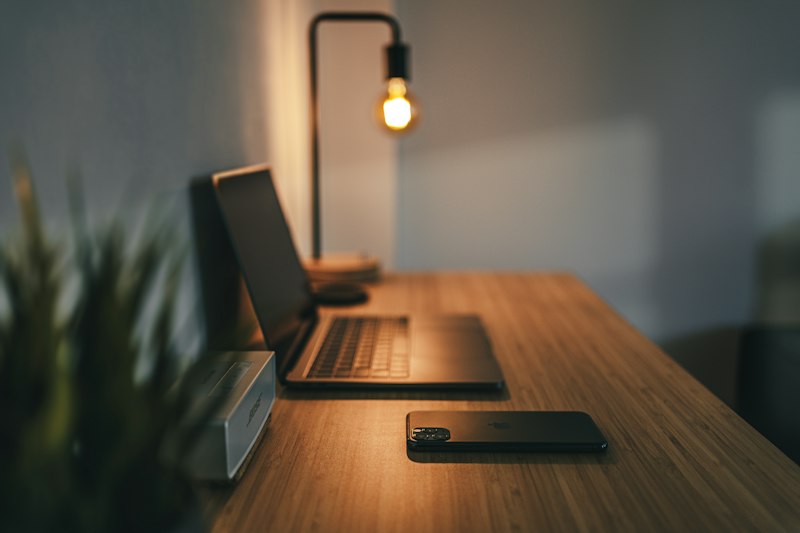
The shift to remote work has transformed how millions of people experience their work environment — and for those with tinnitus, this transformation cuts both ways. On one hand, working from home offers unprecedented control over your acoustic environment. No more noisy open-plan offices, jarring conversations, or distracting ambient sounds you cannot control. On the other hand, the quiet isolation of a home office, combined with hours of headphone use for video calls, can make tinnitus dramatically more noticeable and distressing.
Since 2020, remote and hybrid work has become permanent for an estimated 35-40% of knowledge workers globally. For the roughly 15% of the general population experiencing tinnitus, this represents a significant quality-of-life factor that most workplace wellness programs overlook entirely. This guide provides practical, evidence-based strategies for managing tinnitus while working remotely.
Why Remote Work Presents Unique Tinnitus Challenges
Remote work creates a specific set of conditions that can amplify tinnitus awareness:
The Silence Problem
Traditional offices, despite their noise complaints, provide continuous background sound — HVAC systems, colleague conversations, keyboard clicks, printers. This ambient sound naturally masks tinnitus. A quiet home office, particularly during early mornings or late evenings, strips away that masking layer. The brain, deprived of external auditory input, amplifies internal signals — including tinnitus.
Research published in Noise & Health (2019) demonstrated that background sound levels of just 30-40 dBA — typical of a quiet room with light ambient sound — significantly reduced tinnitus distress compared to silence (<20 dBA). This finding underscores why a completely quiet home office is actually counterproductive for tinnitus management.
Headphone Overuse
Remote work has dramatically increased headphone usage. A 2023 survey by Jabra found that remote workers spend an average of 3.5 hours per day wearing headphones for calls and meetings, up from 1.2 hours pre-pandemic. Extended headphone use affects tinnitus through multiple mechanisms:
- Auditory fatigue — prolonged stimulation of the auditory system through headphones increases sensitivity and tinnitus perception after removal
- Volume creep — gradual unconscious volume increases during long calls to overcome listening fatigue
- Occlusion effect — closed-back headphones and in-ear earbuds create a sealed cavity that amplifies internal body sounds, including vascular sounds that contribute to pulsatile tinnitus
- Post-removal spike — tinnitus often feels louder immediately after removing headphones due to the contrast between amplified audio and relative silence
Lushh can serve as your background sound companion during work hours. Try Lushh free for 7 days →
Optimizing Home Office Acoustics
The single most impactful change a remote worker with tinnitus can make is optimizing their home office sound environment. The goal is to maintain a comfortable, consistent level of background sound throughout the workday.
Background Sound Strategies
- Desktop speaker with low-level nature sounds or pink noise — this is the most effective approach. A small Bluetooth speaker placed on or near your desk, playing nature sounds or pink noise at a barely-noticeable level, provides consistent masking throughout the day. Apps like Lushh excel here — play through a speaker rather than headphones for all-day comfort.
- Open a window — natural ambient sound (birds, wind, distant traffic) provides organic background sound that reduces tinnitus salience. Even slightly cracking a window adds valuable ambient noise.
- Room fan or air purifier — provides constant broadband noise similar to white noise. The hum of a fan is one of the oldest and most effective tinnitus masking strategies.
- Avoid the quietest room — counterintuitively, the best home office for tinnitus is not the quietest room. A room with some ambient sound from household activity, street noise, or HVAC is preferable to a dead-silent basement office.

A small desktop speaker playing low-level nature sounds provides consistent background masking throughout the workday without distracting from tasks.
Room Acoustics
- Soft furnishings absorb harsh sound reflections that can aggravate tinnitus. A rug, curtains, and upholstered furniture create a warmer acoustic environment.
- Avoid bare walls — add bookshelves, acoustic panels, or tapestries to reduce reverberation
- Position your desk away from walls — sitting directly facing a wall creates sound reflections that can amplify headphone audio and tinnitus perception
Headphone Strategy for Tinnitus
Since headphone use is often unavoidable in remote work, choosing the right type and using them strategically can significantly reduce tinnitus impact.
Headphone Types Ranked for Tinnitus
- Bone conduction headphones (Best) — devices like Shokz (formerly AfterShokz) transmit sound through the cheekbone, leaving the ear canal completely open. This allows ambient sound in, prevents the occlusion effect, and maintains natural hearing. Audio quality is acceptable for calls and podcasts, though not ideal for music production.
- Open-back over-ear headphones (Excellent) — allow ambient sound to blend with audio, preventing the isolation that amplifies tinnitus. Models like the Sennheiser HD 560S or Beyerdynamic DT 990 Pro are excellent options. Note: sound leaks out, so not ideal if sharing a space.
- External speakers + separate microphone (Excellent) — eliminates headphone use entirely. A quality USB microphone and desktop speakers provide natural, fatigue-free audio for calls. Use mute when not speaking to prevent feedback.
- Closed-back over-ear headphones (Acceptable) — comfortable for moderate use but can amplify tinnitus awareness during pauses in audio. Take regular breaks.
- In-ear earbuds (Use with caution) — the occlusion effect makes tinnitus more noticeable. If using earbuds, choose models with vented designs or transparency modes.
Play Lushh through a desktop speaker for all-day background sound enrichment while working. Timer-free continuous play keeps your office acoustically comfortable.
Download Lushh — Free →The 30-Minute Rule
Regardless of headphone type, implement a 30-minute cycle: 30 minutes with headphones, then 5-10 minutes without. During breaks, let your ears reset with ambient sound (or low-level sound therapy through speakers). This prevents auditory fatigue accumulation and reduces post-call tinnitus spikes.
Managing Video Calls with Tinnitus
Video calls present specific challenges for tinnitus sufferers: the need to concentrate on audio, the inability to control the other person's microphone quality, and the fatigue of back-to-back calls.
Call Optimization Tips
- Use speaker mode when alone — this is always preferable to headphones for tinnitus. Position yourself close to a good-quality microphone.
- Keep background sound playing between calls — the contrast between call audio and silence is what triggers tinnitus spikes. Maintain low-level sound between meetings.
- Ask participants to improve audio — poor microphone quality forces you to increase volume. Gently suggesting external microphones improves the experience for everyone.
- Enable live captions — most video platforms (Zoom, Teams, Google Meet) now offer real-time captions. This reduces the cognitive load of listening and allows you to lower volume.
- Block "buffer time" between calls — schedule 10-15 minute gaps between meetings for auditory recovery. Use this time for breathing exercises or a brief walk.
- Request meeting notes or recordings — reduces the pressure to catch every word in real-time, lowering listening effort and stress
Ergonomic Considerations: The Neck-Jaw-Tinnitus Connection
Poor home office ergonomics can directly worsen tinnitus through the TMJ and cervical spine connection. The somatosensory pathway between the neck, jaw, and auditory system means that musculoskeletal tension can modulate tinnitus loudness and pitch.
Common Remote Work Posture Issues
- Forward head posture — leaning toward a laptop screen strains the cervical spine, which shares neural pathways with the auditory system. Sustained forward head posture has been shown to increase tinnitus loudness in some patients.
- Jaw clenching during concentration — many people unconsciously clench their jaw while focusing on tasks or during stressful calls. This activates the TMJ, which directly interfaces with the auditory system.
- Shoulder tension from desk posture — elevated shoulders from poor desk height create upper trapezius tension that can refer to the ear area.
Ergonomic Recommendations
- External monitor at eye level — prevents forward head posture. If using a laptop, elevate it on a stand and use an external keyboard.
- Chair with proper lumbar support — maintains neutral spine alignment
- Regular jaw relaxation checks — set hourly reminders to release jaw tension. Rest your tongue on the roof of your mouth with lips closed and teeth slightly apart.
- Hourly movement breaks — gentle neck stretches, shoulder rolls, and jaw opening exercises reduce musculoskeletal tension that feeds into tinnitus
- Standing desk periods — alternating between sitting and standing reduces overall postural strain

Proper ergonomic setup prevents the neck and jaw tension that can amplify tinnitus through somatosensory neural pathways.
Productivity Tips for Remote Workers with Tinnitus
Work Schedule Optimization
- Front-load demanding tasks — tinnitus perception typically worsens through the day as fatigue accumulates. Schedule tasks requiring the most concentration for morning hours when tinnitus is usually at its quietest.
- Batch your calls — rather than scattering calls throughout the day, group them into specific blocks. This allows you to use headphones for a defined period and then recover during headphone-free focus time.
- Use the Pomodoro technique adapted for tinnitus — 25 minutes of focused work, then 5 minutes of auditory rest (remove headphones, do gentle stretching, practice brief mindfulness).
- Track tinnitus patterns — use Lushh's daily tracking feature to identify which work patterns correlate with better or worse tinnitus days. This data helps optimize your schedule over time.
Sound Enrichment Calendar
Structure your sound environment throughout the day:
- Morning startup (15 min): Play nature sounds or pink noise through speakers while reviewing your tasks
- Focus blocks: Low-level brown noise or rain sounds through a desktop speaker
- Call blocks: Headphones as needed, with background sound between calls
- Lunch break: Step outside for natural ambient sound exposure; avoid eating in silence
- Afternoon focus: Slightly louder background sound to compensate for typical afternoon tinnitus increase
- End-of-day wind-down (15 min): Calming sounds to transition from work to personal time
Communication with Colleagues
You do not need to disclose tinnitus to coworkers, but if it helps, simple statements can reduce pressure:
- "I prefer speaker mode on calls when possible — I find it reduces ear fatigue."
- "Could you turn on captions? I find it helps me follow along better."
- "I need to step away briefly between back-to-back meetings for hearing health."
For more on communicating about tinnitus, see our guide on explaining tinnitus to others.
Frequently Asked Questions
Can working from home make tinnitus worse?
It can, primarily through silent environments and extended headphone use. However, remote work also offers significant advantages: you control your sound environment, can take breaks freely, and avoid commute noise. With proper acoustic management, remote work can be better for tinnitus than a noisy open-plan office.
What headphones are best for remote workers with tinnitus?
Bone conduction headphones (like Shokz) are ideal as they leave the ear canal open. Open-back over-ear headphones are the next best option. External speakers with a separate microphone eliminate headphone use entirely for calls. Avoid prolonged use of in-ear earbuds due to the occlusion effect.
How should I set up my home office for tinnitus?
Use a desktop speaker for continuous low-level background sound (nature sounds or pink noise). Add soft furnishings to absorb sound reflections. Position near a window for natural ambient sound. Use proper ergonomics to prevent neck and jaw tension. Avoid the quietest room in the house.
Your Work-From-Home Sound Companion
Lushh provides 65+ therapeutic sounds perfect for background office acoustics, focus sessions, and post-call recovery. Timer-controlled, volume-calibrated, with daily tracking.
Download Lushh — FreeDisclaimer: This article is for informational purposes only and does not constitute medical advice. Always consult your healthcare provider for diagnosis and treatment of tinnitus or any medical condition.